 Clip & Chat
Have you sent ChatGPT an article link and asked for a summary, only to find that it could not read the text? It is especially frustrating when the whole article opens just fine on your iPhone.
One way forward is to send the text you are reading in Safari instead of the URL. That also lets you discuss members-only articles you can already read while signed in.
Why can I read the article when ChatGPT cannot?
Sending a URL does not also share your Safari login session. For a members-only article, ChatGPT may encounter a sign-in page or see only the opening paragraphs.
A website’s access restrictions can also prevent retrieval. OpenAI explains that ChatGPT’s cloud browser runs separately from the browser on your device, and that some sites block access. Read OpenAI’s explanation.
Rather than asking it to fetch the page again, you can share the text you already have in front of you.
For a short passage, copy the part you need
If you only want to discuss a few paragraphs, manual copying is straightforward.
- Open the article in Safari, then touch and hold to select the passage.
- Tap Copy.
- Paste it into ChatGPT and add your question.
For example:
Summarize the following article text in three points. Do not fill in missing information with guesses.
If you are sharing only part of the article, ask about “this excerpt” so the scope of your question is clear.
For a long article, share the text from Safari
Dragging a selection from the first paragraph to the last can be fiddly on an iPhone. Clip & Chat lets you pass the article text from Safari’s share menu to ChatGPT. This also works with paid and members-only articles you can read in Safari.
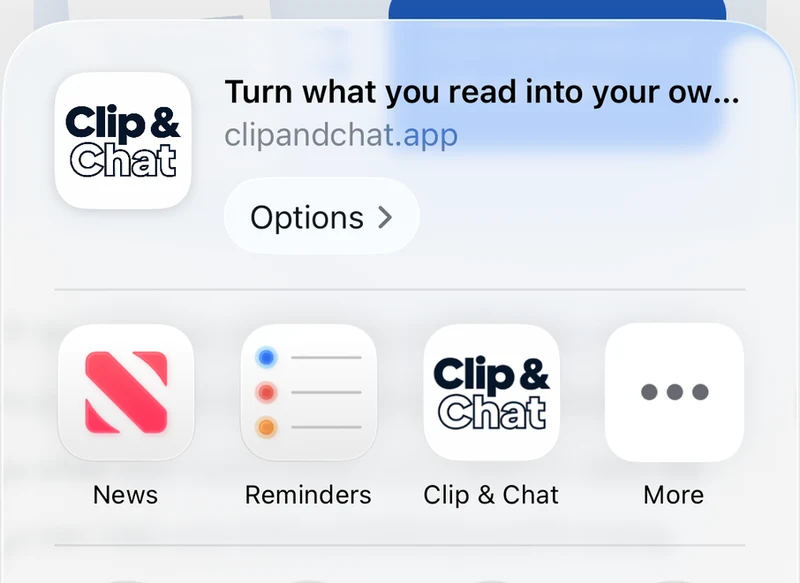
With the article open, choose Share → Clip & Chat. If the review screen appears, tap the blue button at the bottom to pass the text to ChatGPT.
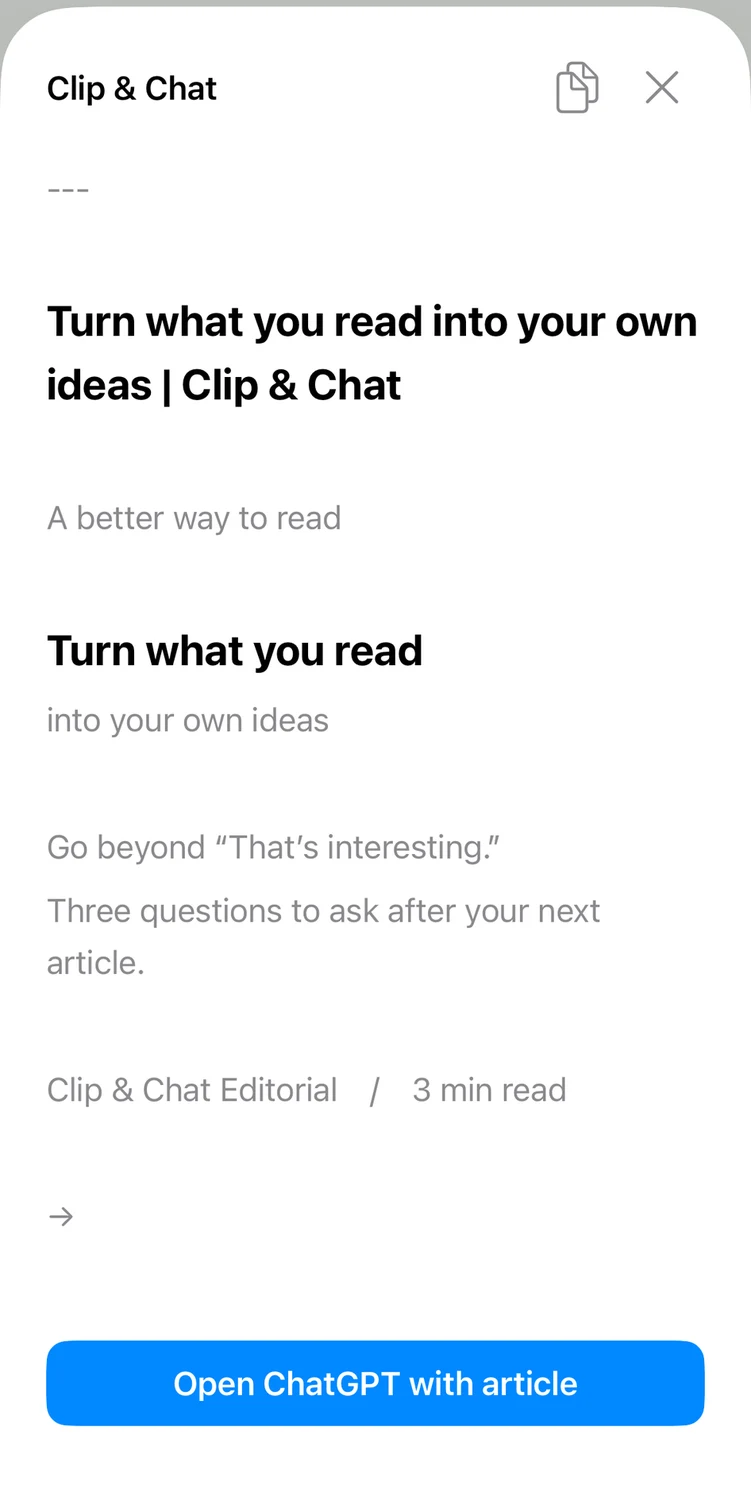
When ChatGPT opens, add your question after the article text and send the message. You can discuss what you were reading without another attempt to fetch the URL.
Try five shares free with an article you are reading today.

For the full walkthrough, including how to find Safari’s share menu, see How to send a web article to ChatGPT on iPhone.
What if the summary still misses something?
First, check whether the text you sent is complete. If an article spans multiple pages, open and share the sections you want to discuss. Some content, such as text inside images, may not be extracted.
To focus on a particular part, name the section or paragraph in your question:
Focus on the “Challenges after launch” section. What are the main points to watch out for?
If the text is too long to send, split it into the sections you need. Compare anything that seems off in the summary with the original article.
Choose what to share in accordance with the website’s terms.
For questions to ask after a summary, try these five prompts for turning an article into ideas for work.